PixelCryptor

PixelCryptor
License:
Free
Language:
English
Developer:
OS:
Win2000/XP/Vista
Updated:
See detailed info

Softonic review

Elena Santos

“Encrypt data securely by using pictures”

by Elena Santos about PixelCryptor

If you're worried about the safety of your documents you should start using some encryption method to protect them.

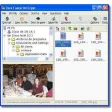
PixelCryptor is probably one of the best options for your first steps into encryption. It enables you to protect your private documents by combining them into a package that is then encrypted with any photo of your choice.

The pixel data contained in this photo is what the program uses to protect your documents, by creating almost endless, hacker-proof combinations. And whenever you want to decrypt your documents, simply open the package with your documents and select the picture you used to encrypt it.

PixelCryptor may not offer as many security options and encryption methods as other tools, but it's very easy to use and probably the best choice for encryption newbies. On the downside, anyone who you're sending encrypted data too will need to have it installed.

PixelCryptor is a fairly basic encryption tool, mainly addressed at novice users, which uses images to encrypt confidential data.

Pros
  • Very easy to use, especially newbies
Cons
  • No encryption options
  • Requires having the program installed to decrypt data
Free Download PixelCryptor 1.2

PixelCryptor is virus free

We have analyzed the latest version of PixelCryptor with 30 antivirus engines and it is virus free. See analysis results.

TESTED VIRUS FREE - Softonic GUARANTEED

Developer's description

Encryption has been used for as long as people have been talking and wishing to keep their communications secret. Examples range from trans- position cyphers used by the Spartan military to more modern techniques like DES and AES.

Nowadays people have not one, but dozens of passwords. It can be hard to remember them, and you might lose precious data when you forget them. PixelCryptor offers a solution.

In PixelCryptor you choose a picture and use it to combine your files into a package. The pixel data is used to encrypt your data. The combinations are endless and hard to break.
Complex encryption, yet userfriendly

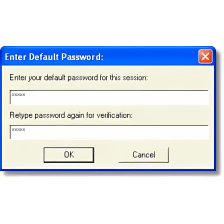
PixelCryptor offers an easy to use wizard to guide you PixelCryptor through the process of encryption and decryption. You are free to encrypt as many files you like. Be sure to save your picture, because just like passwords, when the key is gone the package is locked for good. No backdoor, workaround or crowbar will get you in.

PixelCryptor (1) User reviews

  • Not bad
  • 6/10
Your avatar
Review
  1. Maximum: 75 characters

  2. See example

Pros and Cons
Rate
  1. What rating would you give PixelCryptor?

    You need to fill in all fields

    • Usability:

      Not rated
    • Stability:

      Not rated
    • Installation:

      Not rated
    • Functionality:

      Not rated
    • Appearance:

      Not rated
    • Overall rating:

      Not rated
  2. Don't worry, we won't make your email address public.

You're not allowed to share serial numbers, cracks, etc. or link to pages that contain them. If you do, your user account will be deleted, your IP address logged and legal action will be taken.

Get started - just ask a question!

Write a title for your question.

Alternativesto PixelCryptor

  • In English:
    Chaos Mash
    Chaos Mash

    Scramble any type of data to prevent unauthorized access

    Softonic rating:
    • 8/10
    User rating:
    • 3/10
  • Better rating:
    HashX
    HashX

    Apply hash functions to check the validity of files

    Softonic rating:
    • 8/10
    User rating:
    • 7/10
Compare with PixelCryptor
Download rank: Encryption software

39 of 87

Softonic rating:
  • Good
  • 7/10
User rating: (3 ratings)
  • Not bad
  • 6/10
Your rating:
Your rating
  • 0

Review and rate this program

Top Downloads: Encryption software

  • United States
  • Global

  1. Encrypt and hide your text message into image

Reviews of PixelCryptor in other languages